Screenshots

App details
- Version
- 2.2.2
- Size
- 19.78 MB
- Updated
- July 16, 2012
- Requires
- Windows 8
- Language
- English
- License
- Trial version
- Developer
- Pixel Genius LLC
- Category
- Windows OS
SoftPas in:
This product is also available in the following languages:
About PhotoKit Color
Download PhotoKit Color – Photoshop color optimization tool
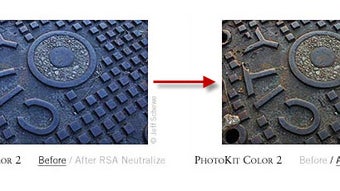
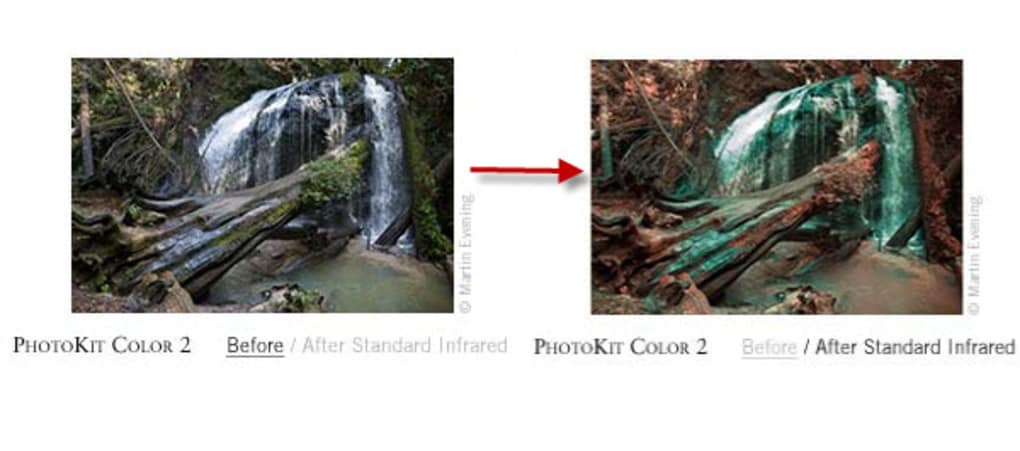
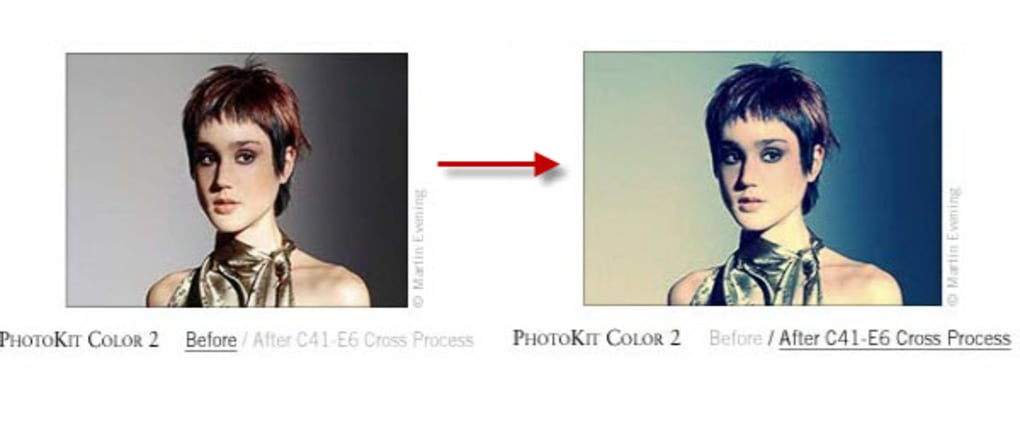
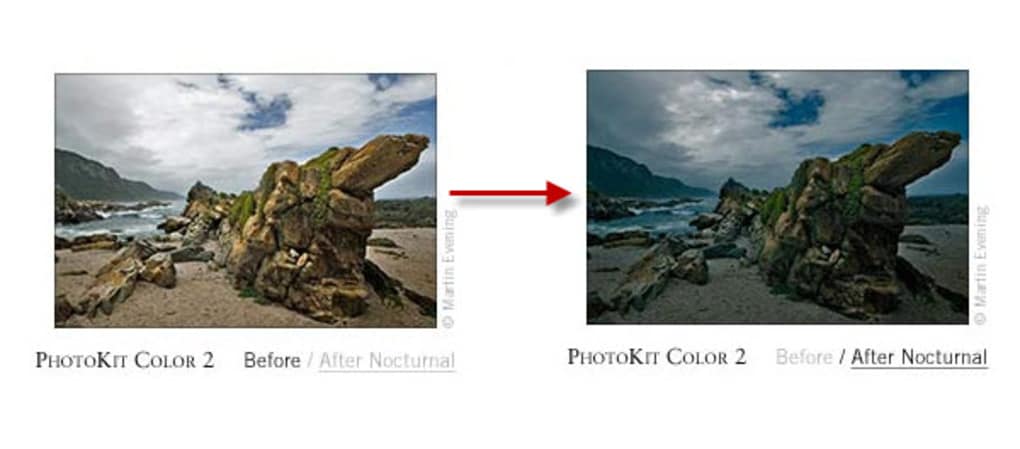
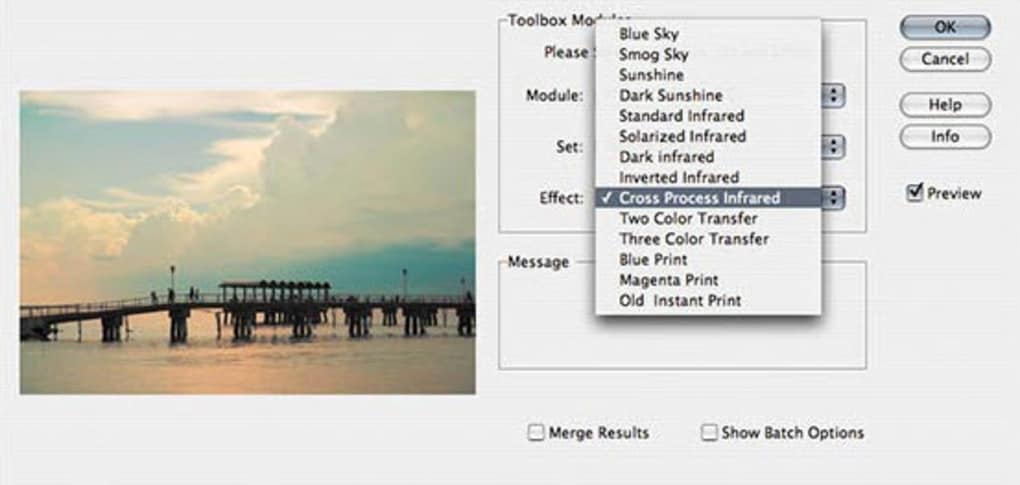
PhotoKit Color is a powerful Photoshop plug‑in that helps you refine the colors in any image with just a few clicks. Whether you are a professional graphic designer, a wedding photographer, or a hobbyist who loves to make pictures pop, PhotoKit Color adds a layer of intelligent color balancing, contrast tweaking, and skin‑tone adjustment directly inside Adobe Photoshop. The plug‑in works by applying pre‑configured color sets that act like sophisticated filters, allowing you to experiment with a range of moods—from subtle warmth to vivid cinematic tones—without the need for complex manual adjustments. Because every color set is optimized for speed and consistency, you can achieve polished results in seconds, making PhotoKit Color an essential addition to any Photoshop workflow that values both creativity and efficiency.
Key Features and Benefits
- Pre‑configured color sets: Choose from a curated library of color palettes that instantly transform the look of your photo.
- Automatic skin‑tone correction: Adjust skin tones to be lighter or darker with a single slider, preserving natural texture.
- Layer‑based workflow: Each color set is applied as a non‑destructive adjustment layer, keeping your original image intact.
- One‑click contrast boost: Enhance overall contrast without losing detail in shadows or highlights.
- Smart integration with Photoshop: Works seamlessly with Photoshop’s existing adjustment layers, masks, and blending modes.
- Cross‑category versatility: Ideal for portrait, landscape, product, and editorial photography.
Pros
- Fast, one‑click color transformations save time.
- Non‑destructive workflow preserves original image data.
- Wide variety of pre‑set palettes for different creative styles.
- Easy to learn for beginners yet powerful enough for pros.
- Fully compatible with the latest Photoshop versions.
Cons
- Limited manual fine‑tuning for advanced users who want pixel‑level control.
- No standalone version; requires Photoshop to function.
- Some niche color palettes may not fit every artistic vision.
Installation & Usage Guide
Getting PhotoKit Color up and running is straightforward. Follow these steps to install the plug‑in and start enhancing your images:
- Download the installer: Visit the official PhotoKit website and click the “Download for Windows” or “Download for macOS” button, depending on your operating system.
- Run the installer: After the download completes, double‑click the executable (Windows) or .dmg file (macOS). The wizard will guide you through the typical installation process. Make sure you select the folder where Photoshop is installed (usually
C:\Program Files\Adobe\Adobe Photoshopon Windows or/Applications/Adobe Photoshopon macOS). - Launch Photoshop: Once installation finishes, open Photoshop. PhotoKit Color will appear under Filter → PhotoKit → Color or as a panel in the right‑hand workspace, depending on the version you installed.
- Select a color set: With your image open, click the PhotoKit Color panel. Browse the thumbnails of available palettes and hover to see a live preview. Click the one that matches the mood you’re aiming for.
- Adjust intensity: After applying a set, a slider appears allowing you to dial the effect up or down. For skin‑tone tweaks, use the dedicated “Skin Tone” slider to lighten or darken facial areas while preserving detail.
- Fine‑tune with masks: Because each effect is an adjustment layer, you can add a mask to target specific regions (e.g., only the sky or the background). This provides extra control without compromising the plug‑in’s speed.
- Save or export: When satisfied, save your PSD to retain the adjustment layers for future edits, or export to JPEG/PNG for final delivery.
Tip: To keep your workflow efficient, create a custom workspace that includes the PhotoKit Color panel. This way, the tool is always within reach, and you can toggle between color sets without leaving Photoshop.
Compatibility and System Requirements
PhotoKit Color is built to work with the most recent versions of Adobe Photoshop on both Windows and macOS platforms. Below is a quick overview of the supported environments:
- Windows: Windows 10 (64‑bit) or later; Photoshop CC 2022 or newer.
- macOS: macOS 11 (Big Sur) or later; Photoshop CC 2022 or newer.
- Processor: Intel Core i5 or equivalent AMD processor; Apple Silicon (M1/M2) supported via Rosetta 2.
- Memory: Minimum 8 GB RAM (16 GB recommended for large RAW files).
- Graphics: GPU with at least 2 GB VRAM for real‑time preview.
- Disk space: Approximately 250 MB of free storage for the plug‑in and additional temporary files.
Because PhotoKit Color relies on Photoshop’s native APIs, updates to Photoshop are generally reflected quickly in the plug‑in’s compatibility. The development team releases minor patches within weeks of major Photoshop updates to ensure a seamless experience. If you run an older version of Photoshop (e.g., CS6), the plug‑in may not function correctly, and you’ll be prompted to upgrade.
Frequently Asked Questions
Can I use PhotoKit Color as a standalone application?
No. PhotoKit Color is designed exclusively as a Photoshop plug‑in, which means it runs inside the Photoshop environment and leverages Photoshop’s layer system and adjustment tools.
Is there a trial version available?
Yes. The developer offers a 14‑day free trial that provides access to all color sets and adjustment layers. After the trial expires, you’ll need to purchase a license to continue using the plug‑in.
Can I create my own custom color palettes?
While PhotoKit Color focuses on pre‑configured palettes for speed, advanced users can duplicate an existing adjustment layer and manually tweak the hue, saturation, and luminance values to build a custom look. However, these custom layers are not saved as new “sets” within the plug‑in’s library.
Does PhotoKit Color support batch processing?
Batch processing is not built directly into PhotoKit Color, but you can use Photoshop’s built‑in Actions feature to record the application of a specific color set and then run that action on a folder of images.
Is the plug‑in compatible with Photoshop on Apple Silicon?
Yes. PhotoKit Color runs natively on Apple Silicon Macs (M1, M2) via Rosetta 2, and a native ARM build is slated for a future update.
Conclusion & Call to Action
PhotoKit Color bridges the gap between quick, automated color correction and the high‑quality output expected by professional photographers and designers. Its library of pre‑set palettes eliminates the guesswork that often accompanies manual color grading, while the non‑destructive, layer‑based workflow ensures you never lose the original image data. Although power users may miss deeper manual controls, the plug‑in’s speed, ease of use, and seamless Photoshop integration make it a valuable addition to any creative toolbox. If you regularly work in Photoshop and want to boost the visual impact of your images without spending hours on color adjustments, download PhotoKit Color today and experience a faster, more vibrant editing process.
Guides & Tutorials
How to install PhotoKit Color
- Click the Download button above.
- Once redirected, accept the terms and click Install.
- Wait for the PhotoKit Color download to finish on your device.
How to use PhotoKit Color
This software is primarily used for its core features described above. Open the app after installation to explore its capabilities.
User Reviews
No reviews yet. Be the first to share your experience.
You may also like
more
Llama 2
Free-to-use large language model As the new addition to Meta’s arsenal of langua...

NotebookLM
Revolutionizing the note-taking and idea-generation process NotebookLM is an exp...

Github co pilot
AI-inspired software development and coding platform GitHub Copilot is a browser...

Google Gemma
Google’s lightweight AI models Introducing Google Gemma , a family of cutting-ed...

AI Image Enlarger
A free app for Windows, by ai-image-larger. AI Image Enlarger is a free software...

DALL E
AI-driven text-to-image transformation engine DALL·E is a free graphic and desig...